
What Is eDPI? A Simple Guide for Gamers
If you play shooter games, you have probably heard the word “eDPI.” Pro players talk about it, streamers show it on screen, and gaming forums use it all the time. But what does it really mean? And why should you care?
In this guide, we explain eDPI in very simple words. You will learn what it is, how to calculate it, and how to use it to improve your aim.
What Is DPI?
To understand eDPI, we first need to understand DPI.
DPI means “dots per inch.” It is a setting on your mouse. It tells the mouse how far the cursor should move on the screen when you move the mouse on your desk.
Here is a simple example. Say you move your mouse one inch to the right. If your DPI is 400, the cursor moves 400 pixels. If your DPI is 800, the cursor moves 800 pixels. So a higher DPI means the cursor moves faster and farther for the same hand movement.
Most gaming mice let you change DPI. Common choices are 400, 800, and 1600. Many mice have a small button that switches between DPI levels.
What Is In-Game Sensitivity?
DPI is a hardware setting. It lives inside your mouse.
In-game sensitivity is a software setting. You find it in the settings menu of each game. It controls how fast your crosshair turns when you move your mouse.
So there are two settings that control how fast your aim feels:
- Your mouse DPI
- Your in-game sensitivity
Both of them work together. If you change one, the feel of your aim changes. This is where eDPI becomes useful.
What Is eDPI?
eDPI means “effective DPI.” It is one number that combines your mouse DPI and your in-game sensitivity.
The formula is very simple:
eDPI = Mouse DPI × In-Game Sensitivity
That is all. You only need to multiply two numbers.
Why do we need this number? Because looking at only one setting can fool you. A player who uses 400 DPI and a player who uses 1600 DPI cannot be compared by DPI alone. The same is true for in-game sensitivity. eDPI gives you the full picture in one number.
How to Calculate Your eDPI: Easy Examples
Let us try a few examples.
Example 1
- Mouse DPI: 800
- In-game sensitivity: 0.4
- eDPI = 800 × 0.4 = 320
Example 2
- Mouse DPI: 400
- In-game sensitivity: 2.0
- eDPI = 400 × 2.0 = 800
Example 3
- Mouse DPI: 1600
- In-game sensitivity: 0.5
- eDPI = 1600 × 0.5 = 800
Look at Example 2 and Example 3. The settings are different, but the eDPI is the same: 800. This means that in the same game, both players will turn their crosshair by the same amount when they move the mouse the same distance.
This is the main idea. Two people can have very different settings and still have the exact same aim speed. eDPI shows this clearly.
Why Does eDPI Matter?
You might ask: “Why not just look at my in-game sensitivity?” There are a few good reasons to use eDPI.
It makes comparing easy
Let us say your favorite pro player uses 800 DPI and 0.3 sensitivity. You use 1600 DPI. If you copy only the 0.3 sensitivity, your aim will be twice as fast as theirs. But if you check eDPI, you see that their number is 240. Then you can set your own numbers to match, for example 1600 DPI with 0.15 sensitivity.
It helps when you buy a new mouse
New mice often come with different default DPI settings. If you know your eDPI, you can change the settings on the new mouse and keep the same aim feel. You do not need to practice for hours to get used to it again.
It helps you find the right speed for you
Too fast or too slow? When you know your number, it is easy to make small changes. You can raise or lower your eDPI by about 10 percent and test it. This is much easier than guessing.
It gives a common language
Gamers all over the world use eDPI to talk about sensitivity. When someone in a forum says “my eDPI is 280,” everyone understands what that means.
The Limits of eDPI
eDPI is useful, but it is not perfect. You should know where it fails, so you do not use it the wrong way.
Problem 1: It only works inside one game
Every game uses its own scale for sensitivity. A sensitivity of 1.0 in one game does not feel like 1.0 in another game. This means that an eDPI of 800 in one game will not feel the same as an eDPI of 800 in a different game.
For example, Valorant and Counter-Strike 2 use different numbers behind the scenes. In Valorant, you need about 3.18 times the sensitivity to match the speed of CS2. So a Valorant eDPI of 250 is very different from a CS2 eDPI of 250. You cannot copy your number from one game to the other.
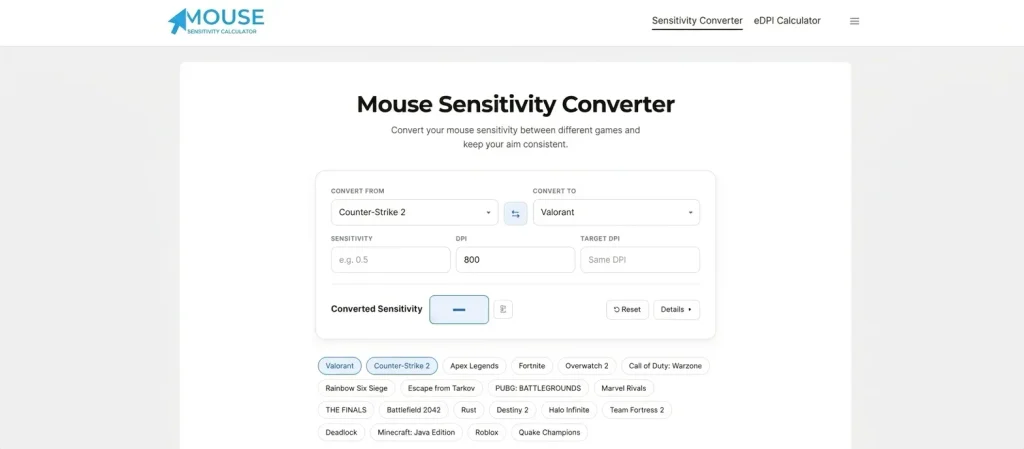
If you want to move your settings between games, you need a converter. You can use our free Mouse Sensitivity Converter for this.
Problem 2: It does not include the game’s field of view
Some games have a wider field of view (FOV) than others. A wider FOV makes things on the screen look smaller and can change how the aim feels. eDPI does not include this, so two games with a similar eDPI can still feel different.
Problem 3: It does not tell you the real distance
eDPI does not tell you how far you must move your hand on the desk to turn around. For that, we need a different number called cm/360.
eDPI vs. cm/360
Let us look at cm/360, because it solves the problem eDPI has.
cm/360 means “centimeters per 360 degrees.” It is the distance you must move your mouse, in centimeters, to turn your character one full circle in the game.
For example, if your cm/360 is 40, you must move your mouse 40 centimeters on the mousepad to spin around once.
Why is this useful? It is the same across all games. If you move the mouse 40 cm to do a full turn in one game, you can set another game to also use 40 cm. Then your hand will move the same way in both games.
Here is a quick comparison:
| eDPI | cm/360 | |
|---|---|---|
| What it measures | Combined DPI and sensitivity | Real distance on your desk |
| Works across games? | No | Yes |
| Easy to calculate? | Very easy | Needs a game-specific value |
| Best for | Comparing in the same game | Moving between games |
You can see that both numbers are useful. Use eDPI to compare settings inside one game. Use cm/360 when you want to copy your feel to a different game.
A Quick Look at the Math
The formula for cm/360 uses one extra value called “yaw.” Each game has its own yaw value. Here is the formula:
cm/360 = (360 × 2.54) ÷ (DPI × Sensitivity × Yaw)
The yaw value for Valorant is 0.07. For Counter-Strike 2 it is 0.022.
Let us use Valorant with 800 DPI and 0.4 sensitivity:
- 360 × 2.54 = 914.4
- 800 × 0.4 × 0.07 = 22.4
- 914.4 ÷ 22.4 = about 40.8 cm
So this player moves the mouse around 41 cm to do a full turn.
You do not need to do this math by hand. Our tools do it for you in one second.
What Is a Normal eDPI?
Many new players ask: “What eDPI should I use?” There is no single right answer, because every game and every player is different. But there are some usual ranges that can give you a starting point.
These numbers change over time, and they are only a guide. You should not copy a pro player’s eDPI just because they are good. They have trained for years, and their hand, desk, and play style are different from yours.
How to Find the Best eDPI for You
The best eDPI is the one that feels right for you. Here is a simple way to find it.
Step 1: Pick a DPI and keep it
Choose a DPI that you like, such as 400 or 800. Then do not change it again. This way, you only need to change your in-game sensitivity from now on. This keeps things simple.
Step 2: Start with a middle value
Pick a starting eDPI close to the usual range for your game. Do not start with something very high or very low.
Step 3: Test it in practice mode
Go to the practice range and try these:
Step 4: Change it a little at a time
If the aim feels too fast, lower the sensitivity by about 10 percent. If it feels too slow, raise it by 10 percent. Small steps are better than big jumps.
Step 5: Play for a few days
Do not change your settings after every match. Your hand needs time to learn. Play at least a few days with the same number before you decide.
Step 6: Write down your final numbers
When you are happy, write down your DPI, sensitivity, eDPI and cm/360. If you ever buy a new mouse or reinstall the game, you can bring back your aim feel quickly.
Common eDPI Mistakes to Avoid
Many players make the same mistakes. Here are the most common ones.
Changing your settings too often. If you change your sensitivity every day, you never build muscle memory. Choose a number and stay with it.
Copying a pro player without thinking. A pro player’s setup may not fit you. Use their number as an idea, not as a rule.
Mixing up eDPI between games. As we said before, eDPI is not the same in every game. Always use a converter when you change games.
Forgetting about mouse DPI. Some mice have a DPI button, and it is easy to press by mistake. If your aim suddenly feels strange, check your DPI first.
Using too much sensitivity. Very high sensitivity can make small shots harder. Most beginners are better with a lower setting that lets them control the aim.
Ignoring your mousepad size. If your eDPI is low, you need a big pad, because you must move the mouse far. If your desk is small, you may need a higher eDPI.
Frequently Asked Questions
Is a high eDPI better than a low eDPI?
No. One is not better than the other. A low eDPI often gives more control for small shots, and a high eDPI makes it easier to turn quickly. The best number depends on your game and your style.
Should I use a high DPI or a low DPI?
Modern gaming mice work well at both. Many players choose 400 or 800 and then adjust the in-game sensitivity. Pick one that feels comfortable and stay with it.
Can I use my eDPI in another game?
Not directly. Each game uses a different scale, so the same number will not feel the same. Use a sensitivity converter to move your settings.
Does eDPI change my mouse polling rate or hardware?
No. eDPI is just a number you get from multiplication. It does not change your mouse. It only describes your total aim speed.
How often should I check my eDPI?
You only need to check it when you change your mouse, your DPI, your game, or your in-game sensitivity.
Conclusion
eDPI is a simple but powerful idea. It is your mouse DPI multiplied by your in-game sensitivity, and it shows you how fast your aim really is. With this number, you can compare your settings with others, set up a new mouse quickly, and make small improvements to your aim.
Remember that eDPI works only inside one game. When you move to a different game, you need a converter or the cm/360 number to keep the same feel.
Ready to try it? Use our free eDPI Calculator to find your number in seconds, and use the Mouse Sensitivity Converter to carry your settings to any game.
One Comment